


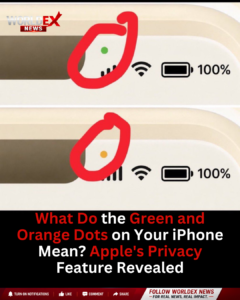
Apple introduced the green and orange privacy indicators with iOS 14 to help users know when apps are accessing sensitive hardware on their iPhones.
🟢 Green Dot: Indicates that an app is currently using your camera. If the microphone is also in use, the green dot still appears.
🟠 Orange Dot: Indicates that an app is using your microphone only.
Users can swipe down from the top-right corner of the screen to open Control Center, where iOS displays the name of the app that most recently accessed the camera or microphone.
The feature was designed to improve transparency and give users greater control over their privacy by making it easier to detect when apps are actively using these permissions.





Leave a Reply